How to Protect Your Bank Account From Dark Web Hackers Part : 1
What You’ll Learn in This Guide
Part 1: Discover how criminals find potential victims, collect personal information, and use leaked data, fake alerts, and other tactics to gain access to financial accounts.
Part 2: Learn the warning signs that often appear before fraud occurs, including red flags many people ignore until it’s too late.
Part 3: Explore the practical security strategies that can help protect your money, strengthen your accounts, and reduce the risk of becoming a victim.
By the end of this guide, you’ll understand not only how these threats work, but also what steps can help keep your financial information safer.
How to Protect Your Bank Account From Dark Web Hackers: A Complete Guide for Everyday U.S. Bank Customers
Most people imagine bank hackers as experts breaking directly into a bank’s computer system. In real life, that is not how most everyday bank account fraud happens. Criminals usually do not need to “hack the bank” when they can trick the customer, steal a password, take over a phone number, or use personal information leaked in a data breach.
Your bank may have strong security, but your account can still become vulnerable if criminals get access to your email, phone number, password, debit card details, or identity information. This article explains, in simple language, how bank accounts become targeted, how criminals use stolen information, what warning signs to watch for, and what practical steps ordinary U.S. bank account holders can take to protect themselves.
1: How Bank Accounts Usually Become Vulnerable
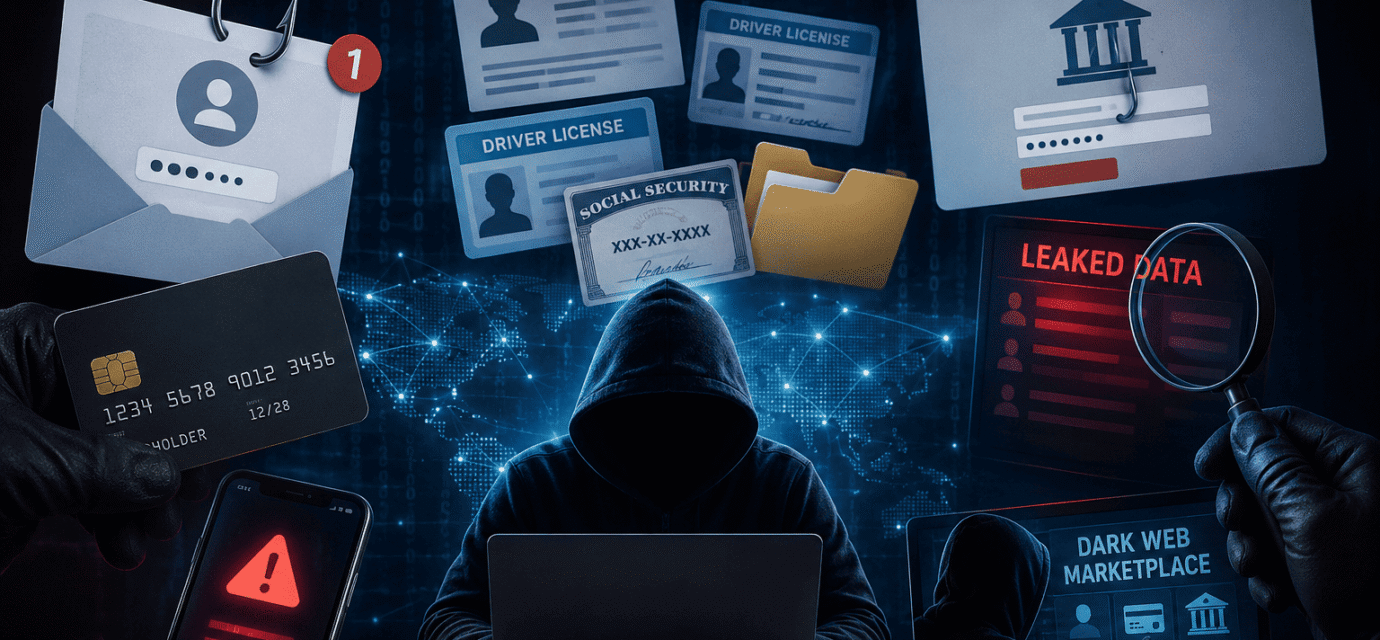
A bank account becomes vulnerable when criminals collect enough information to pretend to be you or trick you into giving them access. They may not need everything at once. Sometimes they begin with only your email address or phone number, then slowly collect more details.
Common information criminals look for includes:
• Your full name
• Email address
• Phone number
• Home address
• Date of birth
• Social Security number
• Bank username or password
• Debit card number
• Security question answers
• One-time verification code
• Copies of IDs or documents
This information may come from data breaches, phishing messages, scam calls, fake websites, stolen mail, malware, unsafe apps, or information people share online.
Once criminals gather enough pieces, they may try to log in to your bank account, reset your password, open accounts in your name, or move money using services like wire transfers, ACH transfers, Zelle, Cash App, Venmo, or other payment systems.
The important thing to understand is this: criminals often build a profile of you over time. They may use one piece of stolen information to get another.
That is why protecting your bank account also means protecting your email, phone number, identity documents, and personal data.
2: What the “Dark Web” Has to Do With Bank Fraud
The dark web is a hidden part of the internet where criminals may buy and sell stolen information. Not everything on the dark web is about banking, but stolen financial data is commonly traded there.
For example, criminals may sell:
• Lists of email addresses and passwords
• Stolen debit card or credit card information
• Personal identity records
• Bank login details
• Fake IDs or document templates
• Stolen checks
• Information from hacked online accounts
If your password was exposed in a breach from an old shopping site, gaming account, social media account, or email service, criminals may try that same password on your bank account.
This is why using the same password everywhere is so risky. A breach at one company can become a problem for your bank account, even if your bank was never breached.
3: Most Common Bank Account Attack Methods
Phishing Emails
A phishing email looks like it came from your bank, credit card company, delivery service, government agency, or payment app. It may say your account is locked, a payment failed, or suspicious activity was detected.
The email usually asks you to click a link.
That link may take you to a fake website that looks like your real bank’s website. If you type your username, password, or verification code, criminals can capture it.
Smishing Text Messages
Smishing is phishing by text message.
You may receive a message like:
“Your bank account has been temporarily locked. Verify now.”
Or:
“Did you authorize a $499 transaction? Reply NO.”
These messages create fear and urgency. The goal is to make you click quickly without thinking.
Scam Phone Calls
Criminals may call pretending to be your bank’s fraud department. They may already know your name, phone number, or part of your card number, which makes the call seem real.
They may ask you to “verify” a code sent to your phone.
In reality, that code may be used to approve a login, password reset, or money transfer.
A real bank will not ask you to read back a one-time login code so they can “secure your account.”
Password Reuse Attacks
If you use the same password on multiple websites, one stolen password can open many doors.
Criminals test leaked passwords on banks, email accounts, shopping sites, and payment apps. This is one of the biggest reasons people lose access to financial accounts.
SIM Swap Fraud
A SIM swap happens when criminals convince your mobile carrier to move your phone number to a device they control.
If they succeed, your calls and texts go to them instead of you. This can allow them to receive text verification codes for banking, email, and payment apps.
Malware
Malware is harmful software that may get onto your phone or computer through unsafe downloads, fake apps, infected attachments, or suspicious links.
Some malware can watch what you type, capture screenshots, or steal saved passwords. For bank customers, malware is dangerous because it can quietly collect login details.
Data Breach Abuse
A data breach happens when a company, website, app, employer, medical provider, or other organization exposes customer information.
Criminals may use that information to guess security questions, create convincing scams, or attempt account takeover.
4. How Stolen Passwords Are Used
When a password is stolen, criminals usually do not sit and manually test it one website at a time.
They often use automated systems to check whether the same email and password combination works on other accounts.
For ordinary people, the lesson is simple: never reuse your banking password anywhere else.
If your bank password is unique, a breach from another website is less likely to affect your bank account.
If your email password is also unique and protected, criminals will have a harder time resetting your bank password.
Your email account is especially important because password reset links often go there.
If criminals control your email, they may be able to reset passwords for your bank, payment apps, shopping accounts, and more.
5. How Fake Bank Alerts Trick Victims
Fake bank alerts are one of the most effective scams because they create panic.
A text or email may say there was suspicious activity on your account. It may include a link or phone number.
The message may look professional. It may use the bank’s name.
It may even appear in the same text thread as real bank messages because sender information can sometimes be misleading.
Common Fake Alert Examples
• “Your account has been locked.”
• “Suspicious login attempt detected.”
• “Your debit card has been suspended.”
• “Did you approve this transaction?”
• “Verify your account immediately.”
• “Your online banking access will expire.”
The safest rule is simple:
Do not click links in unexpected bank texts or emails.
Instead, open your bank’s official app manually or call the phone number printed on the back of your debit card.
6. How SIM Swap Attacks Happen in Simple Terms
Your phone number is often used as proof that you are you.
Banks, email providers, and payment apps may send codes by text message.
Criminals know this, so they may try to take over your number.
In a SIM swap attack, the criminal may contact your mobile carrier and pretend to be you.
They may claim their phone was lost or damaged.
If the carrier is fooled, your number may be moved to the criminal’s SIM card or device.
Warning Signs of a SIM Swap
• Your phone suddenly loses service
• You cannot make calls or send texts
• You receive emails about account changes
• Banking or email login alerts appear
• Your mobile carrier says your SIM was changed
To protect yourself, contact your carrier and ask for extra security, such as a port-out PIN, account PIN, number lock, or SIM swap protection.
The name of the feature depends on the carrier, but major U.S. carriers usually offer some form of extra protection.
7. How Malware Steals Banking Information
Malware can infect a device when someone downloads unsafe software, opens a harmful attachment, clicks a dangerous link, or installs apps from unofficial sources.
On phones, risky apps may ask for too many permissions, such as access to messages, contacts, screen recording, or accessibility features.
Malware May Steal Banking Information By
• Capturing what you type
• Reading text messages
• Stealing saved passwords
• Watching browser activity
• Displaying fake login screens
• Taking screenshots
• Redirecting you to fake pages
The best protection is to keep your devices clean and updated.
Use official app stores, avoid cracked software, do not install random browser extensions, and keep your phone and computer updated.
If your device behaves strangely, such as overheating, slowing down, showing pop-ups, or opening unexpected pages, it may be worth investigating further.
Continue to Part 2
Now that you understand how bank accounts become vulnerable, the next part explains the warning signs that may appear before fraud happens.
Recommended Articles
 How to Protect Your Bank Account From Dark Web Hackers Part : 3
 How to Protect Your Bank Account From Dark Web Hackers Part : 2
 How to Spot Fake Security Emails From Banks
 how to protect your bank account from dark web hackers
 How Scammers Use Fake Bank Alerts to Steal Money
 How Credit Card Fraud Happens Without Your Card Being Stolen